Crank the volume all the way up, point the speaker at the floor and hit Start on the water eject tool up there. You'll get about a minute of deep, pulsing hum at 165 Hz, and every pulse makes the little speaker cone kick the water out through the mesh. Then wipe it and play a song you know by heart; if it still sounds a bit off, just run it again (or try Deep clean, which sweeps through more pitches).
Here's the annoying thing about water in a speaker: it doesn't drain out the way you'd expect. A drop sitting across those tiny grille holes gets held there by surface tension, almost like a soap film on a bubble wand, so you can shake the phone and blow on it and still end up with that thin, far-away, slightly crackly sound after the rain or the sink or the pool.
What actually works is pushing from behind. Let the speaker do the pushing itself. Apple does exactly this on the Apple Watch, by the way: when you turn off Water Lock, the watch plays a series of tones to clear water out of its speaker (Apple Support).
How to use the water eject tool
- Get the phone ready. Pull it out of the case if the case covers the speaker (a lot of them do, and water loves to sit in that little lip), give the outside a wipe, and if it's an iPhone, flip Silent mode off, because browsers can go quiet when it's on and you'll be wondering why nothing's happening.
- Volume up. All the way. Honestly this is the step people skip, and it's the one that matters most, since a speaker playing quietly barely moves and the whole trick depends on it moving as far as it possibly can.
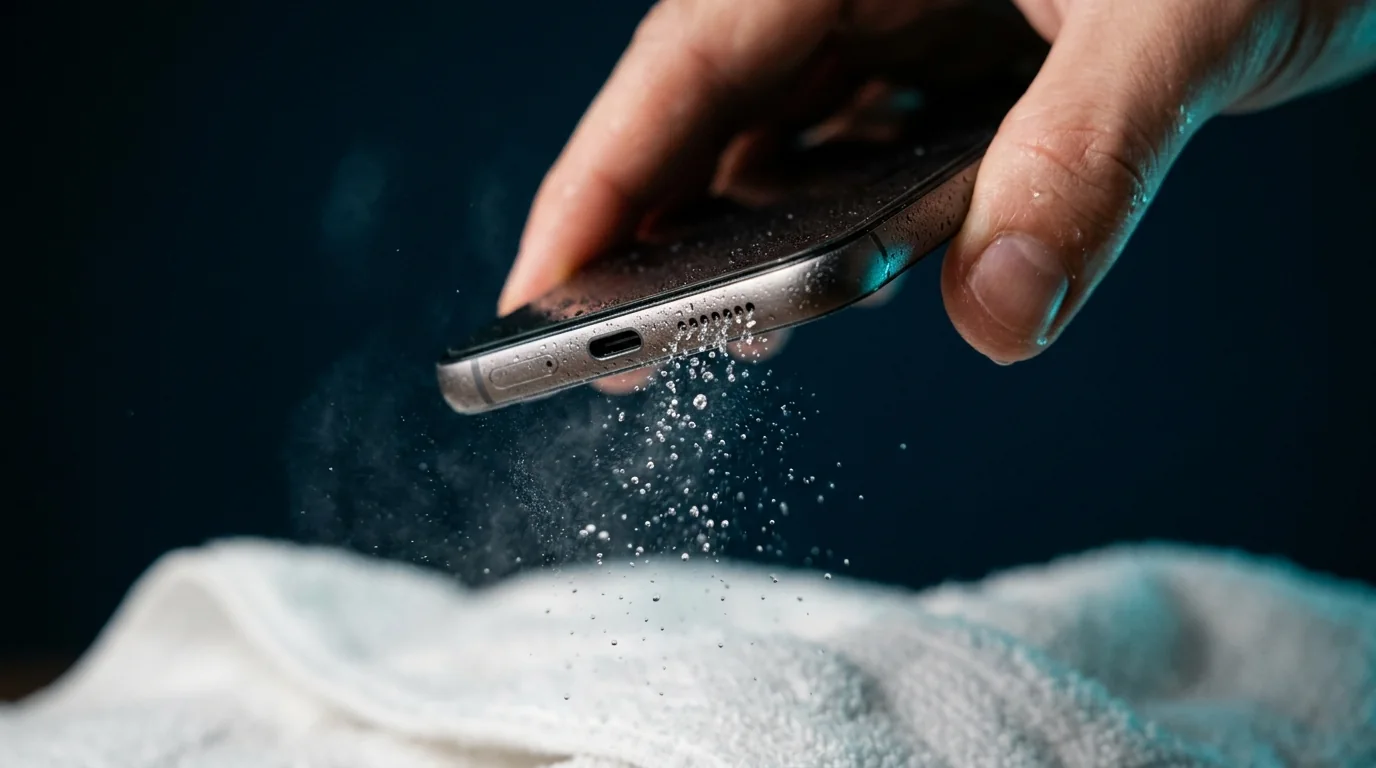
- Speaker facing down. Hold the phone (or prop it on its side over a towel) so the bottom speaker looks at the floor. Gravity's on your side then, and you might even spot a drop or two on the towel while it plays.
- Press Start and leave it. One minute of pulses at 165 Hz is the default. My advice? Don't stop it the second it sounds better, because the last stubborn bits of water tend to come out near the end.
- Listen. Wipe the grille and try the Test speaker tab, or just play some music. Crisp again means you're done. Still a bit dull or buzzy after that, run it once more or try the vibration pattern.
Why a 165 Hz water eject sound works
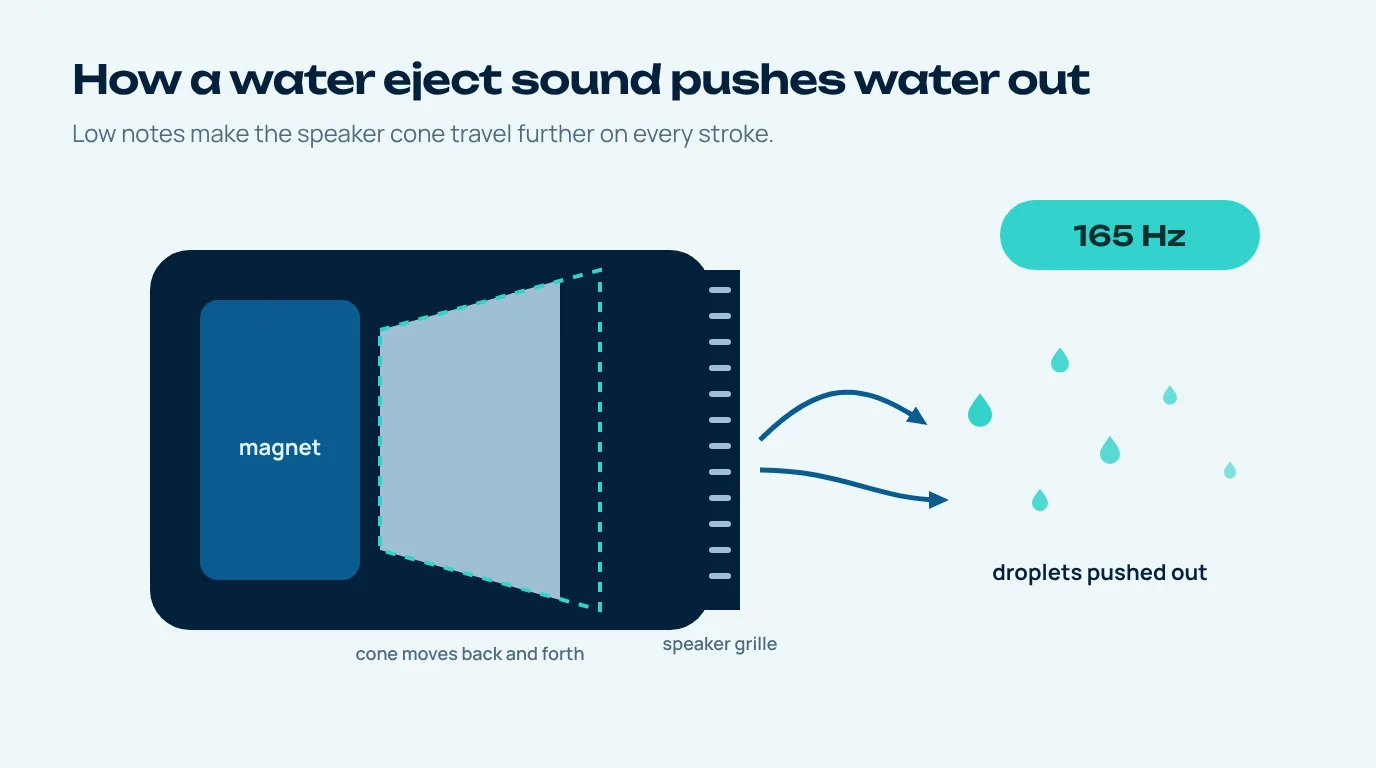
Think of the speaker in your phone as a tiny piston. There's a coil that shoves a paper-thin diaphragm forward and back, and the air it moves is what you hear as sound (Wikipedia's loudspeaker page has a nice cutaway if you're into that sort of thing). Play a high note and the diaphragm hardly travels, a fraction of a millimetre, because each cycle is over so fast. Drop the pitch and each stroke gets longer and pushes more air through the grille, every single time.
So why 165 Hz and not something lower still? Small phone speakers get much weaker as the pitch drops into the bass range, so if you go too low they just can't play it properly and you lose the push. Somewhere around 165 Hz you still get a big movement and the speaker can actually produce it.
The tool doesn't hold one flat note either. It pulses the tone on and off, so the water gets a fresh shove at every restart, and it wobbles slightly between 160 and 170 Hz so a droplet can't settle into the rhythm and ride it out.
No secret frequency, no magic. It's just about the most efficient way to turn a speaker into a little pump for a minute.
Which sound should you pick?
Nine times out of ten, the default does the job. The others are there for when it doesn't quite.
| Mode | What it plays | Best for |
|---|---|---|
| Water remove | 165 Hz in short pulses | Most wet speakers, the first thing to try |
| Vibration | 120 Hz buzz with a fast throb | Phones where the speaker sounds rattly after a dunk |
| Deep clean | 100 to 300 Hz sweep, then 165 Hz pulses | A second pass when one run didn't fully fix it |
| Dust | 1 to 6 kHz sweep | Fine dust or lint once the water is gone |
Want to dial in your own frequency? The Tone tab goes from 20 Hz right up to 20 kHz, which is handy if you're curious at what pitch a damaged speaker starts to buzz.
Water eject from speaker vs earpiece: what sound can reach
This trips a lot of people up. The sound can only push water out of whichever speaker is actually playing it. On most phones that's the bottom loudspeaker, and on plenty of newer iPhones and Galaxy phones the earpiece joins in for stereo, so both get a go. The other holes on your phone don't have a speaker behind them, so the sound won't do much for them.
| Part | Does the sound help? | What to do instead |
|---|---|---|
| Bottom speaker | Yes, directly | Run the tool with the speaker pointing down |
| Earpiece (top) | Yes, on stereo phones | Hold the phone upside down for a second run |
| Microphone holes | Only a little, from vibration | Tap gently and let it air dry |
| Charging port | No | Connector down, gentle taps, airflow, no charging until dry |
If it's the earpiece that's wet (calls sound muffled but music's fine), our water in speaker guide covers the upside-down trick and what a crackle means compared with a muffle.
After the water eject: drying the rest of the phone
Clearing the speaker is only half of it. For a wet iPhone, Apple says to tap it gently against your hand with the connector facing down and then leave it somewhere dry with a bit of airflow, and a fan blowing cool air into the port can help. They also say no external heat, no cotton swab or paper towel stuck in the connector, and wait at least five hours before charging with a cable (Apple Support).
Samsung's take for Galaxy phones isn't far off. Gently shake the phone to help clear the port, let the moisture evaporate (they say that usually takes an hour or two), and never put anything inside the charging port (Samsung UK). You'll notice neither of them mentions rice. I'd skip it, honestly, because rice dust in a charging port is a whole new problem.
Was it salt water, juice, tea, something sugary? Rinse the area with a little fresh tap water first (Apple suggests this too) and then dry it. Sticky stuff left behind in a grille keeps the sound muffled long after the actual water has gone.
Is a water ejector safe for your speaker?
Used the way it's meant to be, yes. It never goes louder than your phone already lets you play music or a speakerphone call; it just sits on one low note for a minute. There's a limiter in there so the signal can't clip, and each run stops by itself. What I wouldn't do is loop it for ten minutes straight. If two or three goes haven't changed anything, there probably isn't a droplet in the grille any more and something else is going on.
It's also worth knowing what "water resistant" actually promises. Ratings like IP67 and IP68 come from the IEC 60529 IP code, and Apple itself notes that resistance can drop with normal wear. The phone that shrugged off a pool last summer might not shrug it off now, which is one more reason to dry it properly instead of only sorting out the speaker.
Do you need a water eject app?
Not really, no. Water ejector apps and the iPhone shortcut people share all do the same basic thing this page does, which is generate a low tone and play it loud. The difference is that this one runs straight in your browser using the Web Audio API, so there's nothing to install, no permissions to approve and no ads popping up while your phone's dripping. If you'd like an icon for next time, open the page in Safari or Chrome and pick Add to Home Screen, and it'll behave pretty much like a small app.
And if the speaker's still muffled after a few rounds? Then the sound probably isn't the issue. Have a look at how to remove water from a speaker step by step, and if nothing's changed after a full day of drying, let a repair shop check whether liquid got into the speaker module itself.
Questions people ask
Does a water eject sound really work?
For the usual case, where droplets are sitting in the speaker grille, yes. Low tones make the speaker cone move further on every stroke and that movement pushes the water out through the mesh. It can't dry water that's already inside the phone, though, so let the rest of it air dry.
What frequency is best for water eject?
Around 165 Hz suits most phones, since it's low enough for a big cone movement but still something a small speaker can actually play. If you'd rather cover more ground, Deep clean sweeps from 100 to 300 Hz.
How long should I play the water remove sound?
A minute is normally plenty. Still muffled? Run it again, or switch to the vibration or deep clean pattern. Going past two or three runs rarely adds anything.
Why can't I hear the sound on my iPhone?
Check Silent mode is off and the volume's up, because browser audio can stay muted otherwise. Also make sure AirPods or a Bluetooth speaker aren't connected, or the sound goes there instead of out of the phone.
Can this water eject tool damage my speaker?
It plays within the same volume limit your phone uses for music, with a limiter so it can't distort, so short runs are fine. Just don't loop it for ages, and stop if you hear harsh rattling.
Does it work for AirPods or headphones?
Yes, as long as they're connected and the sound's playing through them. Take the ear tips off if they come off, play one run at a moderate volume and let them dry with the mesh facing down.