The quickest way to remove water from speaker grilles is to play a low, pulsing tone at full volume with the speaker pointing down (our water eject tool does that with one tap). Follow it with a few gentle taps against your palm and then let the phone dry in moving air. Leave the rice in the cupboard, the hair dryer in the drawer, and keep pins and cotton buds well away from the holes.
Nearly every "fix my speaker water" search starts the same way. It rained, it went in the sink, you sweated through a run, somebody knocked a drink over. The speaker still works, but it sounds like it's coming from the next room. Weirdly, that's good news, because it usually means the speaker itself is fine and there's just a thin layer of water blocking the grille. So the steps below deal with that first and the rest of the phone after.
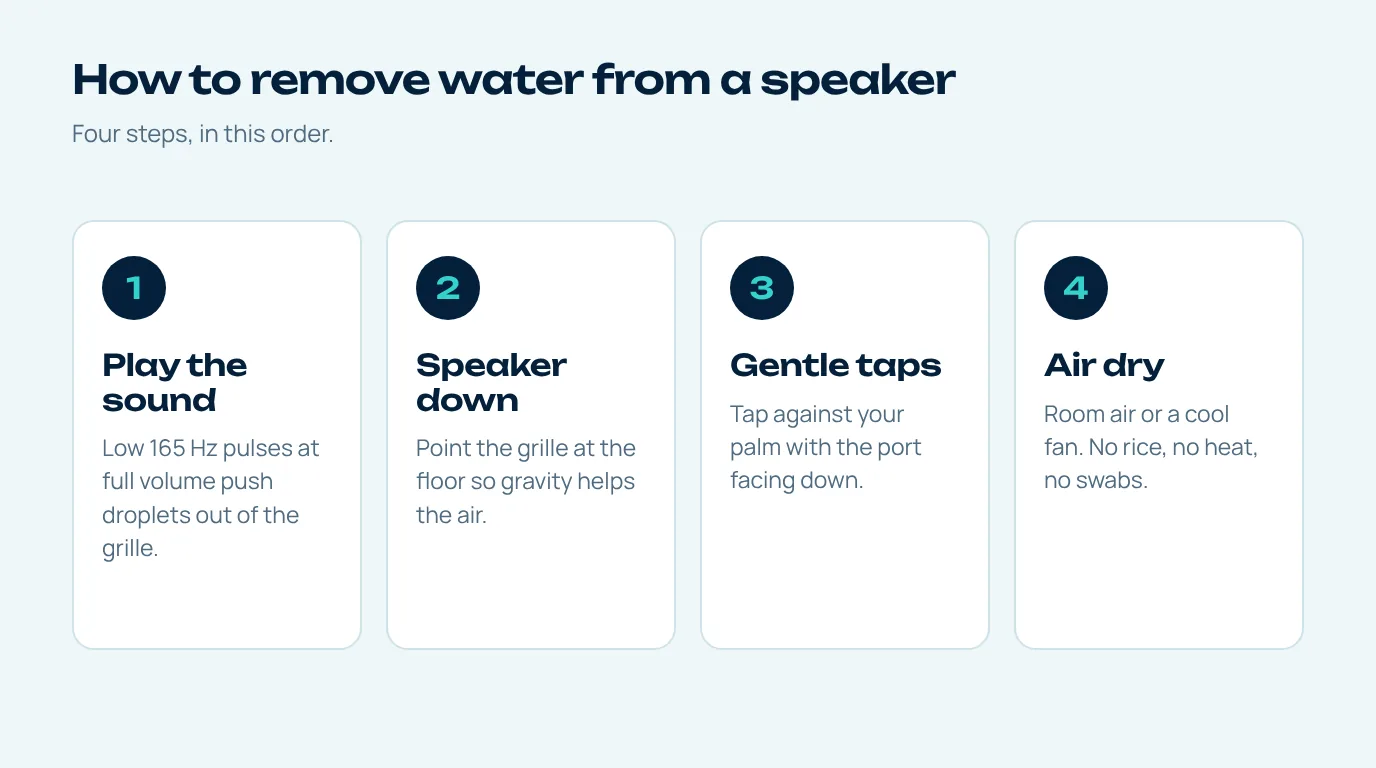
Step-by-step: remove water from speaker grilles
- Wipe it and lose the case. If the phone's still on and working, leave it on, because you'll need it to play sound. Dry the outside with a soft cloth that won't shed, and take the case off, since a case lip can hold a little puddle right against the speaker.
- Play the low sound, loud. Open the water eject tool, push the volume all the way up and hit Start with the speaker aimed at the floor. Those low pulses make the speaker's diaphragm move hard enough to push the trapped droplets out.
- Flip it for the earpiece. Lots of phones use the earpiece as a second speaker, so turn yours round and run it again with the top edge down. That's also the fix for a muffled call speaker.
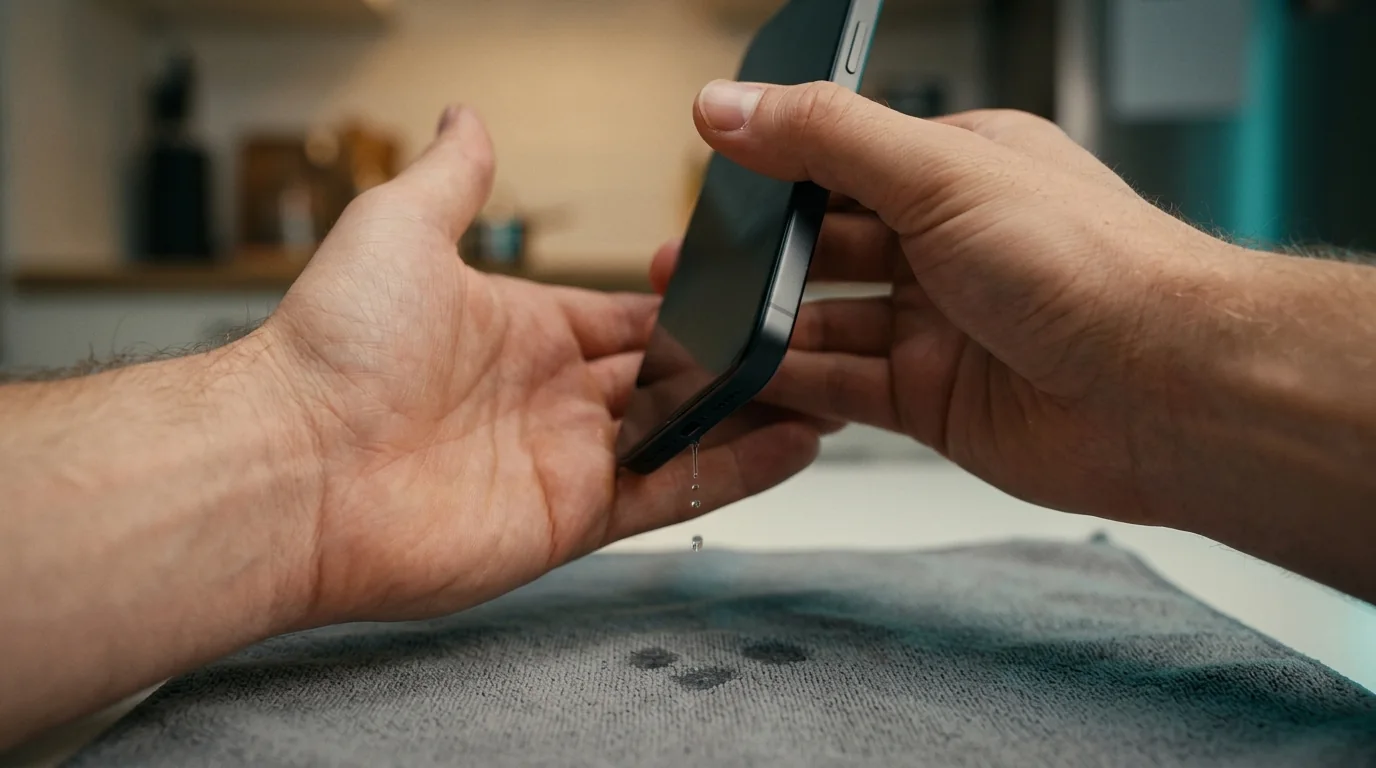
- Tap, don't shake. Apple suggests tapping the phone gently against your hand with the connector facing down to get rid of excess liquid (Apple Support). A few soft taps beat one big shake, which mostly just sloshes the water around inside.
- Let it air dry. Somewhere dry with the air moving. Apple says a fan blowing cool air at the connector can help, and also says no external heat.
- Test it, and only then charge. Play a voice clip or a song you know. Clear? Job done as far as the speaker goes. But keep the cable out until the port's dry, and Apple's guidance there is to wait at least five hours before charging with a cable.
Why water gets stuck in a speaker grille
The holes in a speaker grille are tiny, or it's a really fine mesh, partly so dust and liquid have a harder time getting in. The catch is that those same tiny holes are perfect for water to stretch a thin skin across. Surface tension keeps that skin in place, which is why holding the phone upside down often does nothing at all; the water just clings on to the mesh.
And that's why sound is the best way to remove water from speaker mesh. It doesn't wait for gravity. The speaker pushes air out from behind the water, over and over, until the skin breaks, and once it breaks, gravity can finally do its thing and the drops fall out.
What to avoid when you remove water from a speaker
A few of the tricks you'll hear about do more harm than good. Here's a quick rundown.
| Method | Verdict | Why |
|---|---|---|
| Low water eject sound | Use it | Pushes water out from behind, no contact needed |
| Gentle taps, speaker down | Use it | Recommended by Apple for excess liquid |
| Fan with cool air | Use it | Speeds up evaporation without heat |
| Rice bag | Skip | Apple warns rice particles could damage the phone |
| Hair dryer on hot | Skip | Heat can harm seals, adhesive and the battery |
| Cotton swab or pin | Skip | Can push water deeper or tear the mesh |
The rice one catches people out every time. Apple actually tells iPhone users not to put a wet phone in a bag of rice, because small bits of rice could damage it, and that advice was everywhere in early 2024 (Euronews).
Water out of speaker but still muffled?
You've tried to remove water from speaker grilles twice with sound and it's still dull. Annoying, but there are a couple of other usual suspects. Maybe a screen protector or the edge of a case is covering part of the opening. Maybe lint or dust stuck to the mesh while it was damp and then dried there. Or, if it was something salty or sweet, there could be a thin coating of residue on the grille.
For residue and lint, Apple's speaker troubleshooting page says to check the opening for blockage and clean it with a small, soft-bristled brush that's clean and dry (Apple Support). Brush across the holes, don't poke into them, because poking is a sure way to push residue deeper instead of helping remove water from speaker mesh. After that, the water sound test will check both speakers across the whole range of pitches.
Now, if one speaker is completely silent, makes a harsh buzz on everything, or actually gets worse over a day instead of better, water may have got into the speaker module itself. That's the point where I'd stop playing sounds at it and let a repair shop have a look.
Does the same method work for other speakers?
Mostly, yes. You can remove water from speaker grilles on tablets, laptops and those rugged outdoor Bluetooth speakers the same way, because they're all built on the same basic design, a diaphragm sitting behind a grille. Connect it, play the low tone and point the grille down if you can. One caveat for laptops: if liquid went into the keyboard, switch the laptop off and dry it properly, because a speaker sound is only for the speaker grille, not a spill inside the case. Our guide to water in speaker problems covers earpieces and earbuds in more detail.
Questions people ask
What is the fastest way to remove water from a speaker?
The fastest way to remove water from speaker grilles is to play a low water eject sound at full volume with the speaker pointing down for about a minute. It pushes the droplets out in a way that shaking and waiting just can't, and then the rest of the phone can air dry.
Is it safe to use a hair dryer on a wet phone speaker?
Not on hot. Apple advises against external heat sources for a wet iPhone. A fan blowing cool air is the safer way to speed drying up.
How long does a wet speaker take to dry on its own?
It depends how much water got in and how warm the room is. Samsung says moisture in a charging port usually evaporates in about one to two hours, and a speaker grille is similar once most of the water's out.
Should I put my phone in rice?
No. Rice won't remove water from speaker holes, and Apple specifically recommends against it because small bits of rice can get into the phone, and rice can't pull water out of a speaker grille anyway.
Why does my speaker sound fine on calls but muffled on music?
Calls often go through the earpiece while music uses the bottom speaker. If only one sounds muffled, run the sound with that one pointing down and test each separately.